To-do listsCollect paintReturn sanderSend quoteAll JobsTasksQuote detailsSlot it inPlans change?Share week PDFOne-tap directionsOne-tap callOne-tap messagePhone & laptop syncNo date yet?Mon–Fri viewWeekend view Open in Maps PDFAny trade
Features

Everything a work
planner

should do.

Built to tackle the trade life workload: jobs without dates and plans that change. Keep a clearer head with Job It In.

1

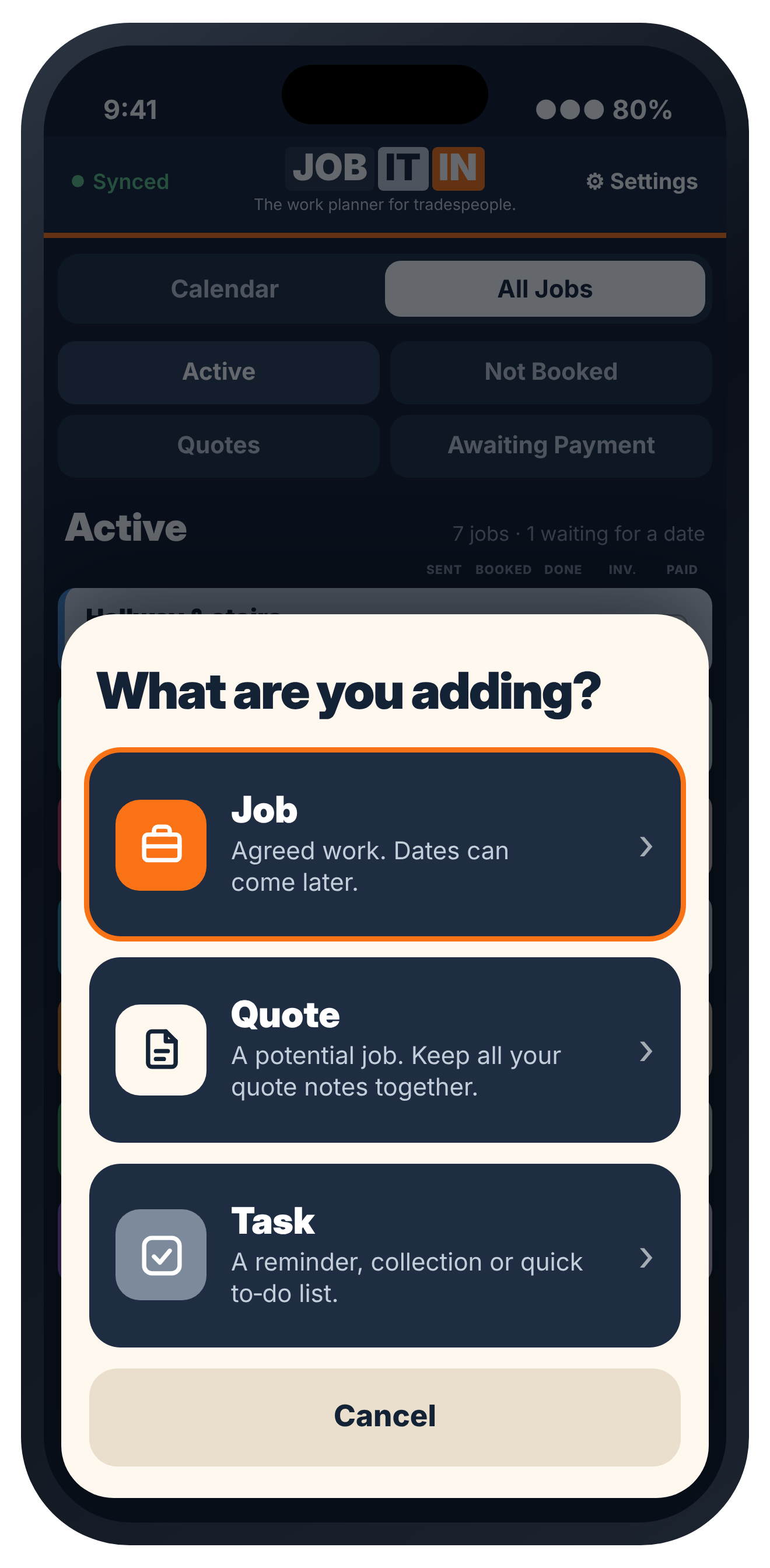
Save it the moment it lands.

The phone rings, the enquiry comes in on WhatsApp, or you spot the next job while you’re on site. Tap + and it’s saved, even if nobody knows the date yet.

  • Job, quote details or task. Pick what it is and fill in as much or as little as you know.
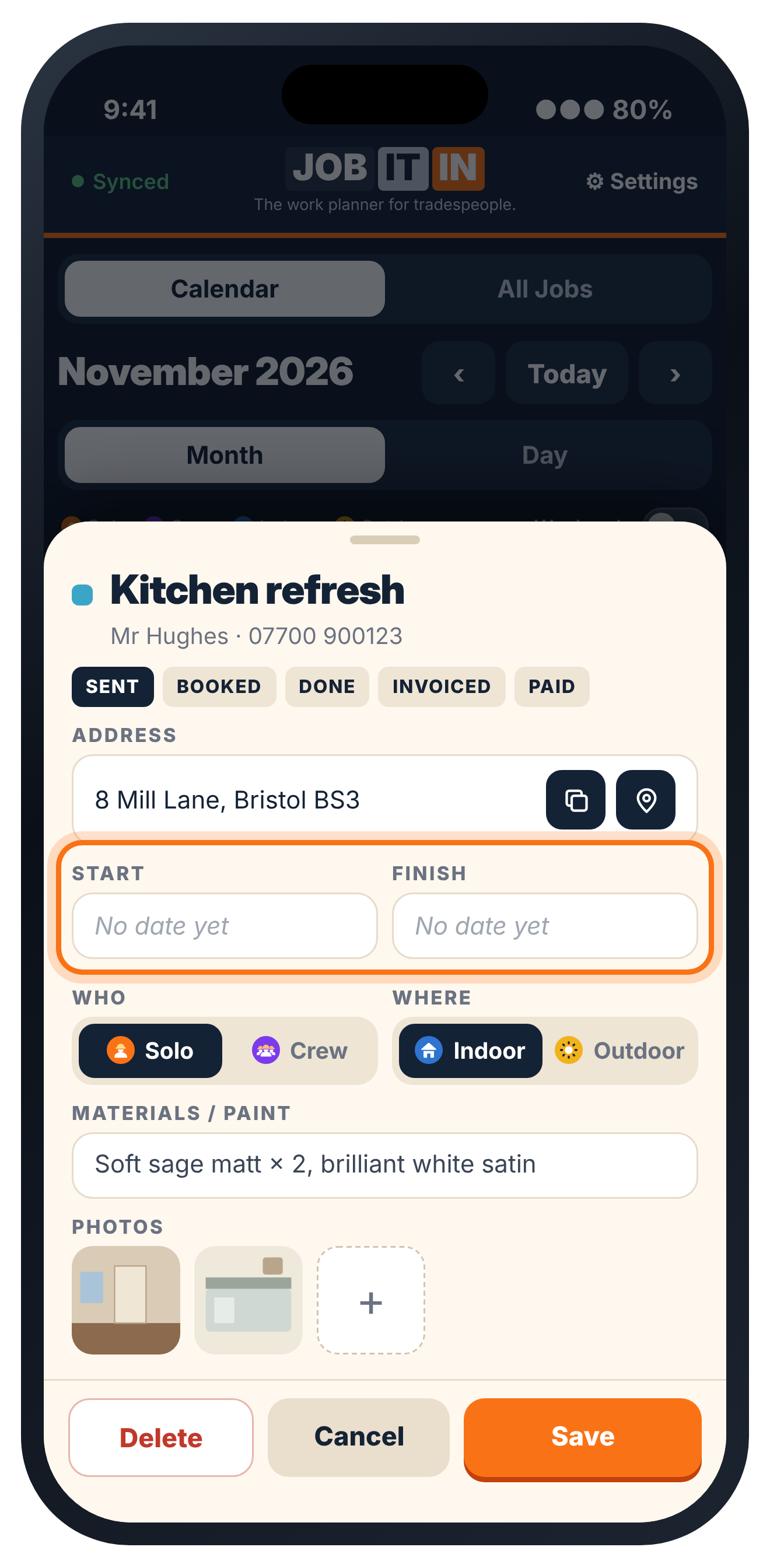
  • No date needed. It waits in your list, marked “No date yet”, until the date’s agreed.
  • Seconds, not minutes. Get the name and the job down now, and add the rest later.
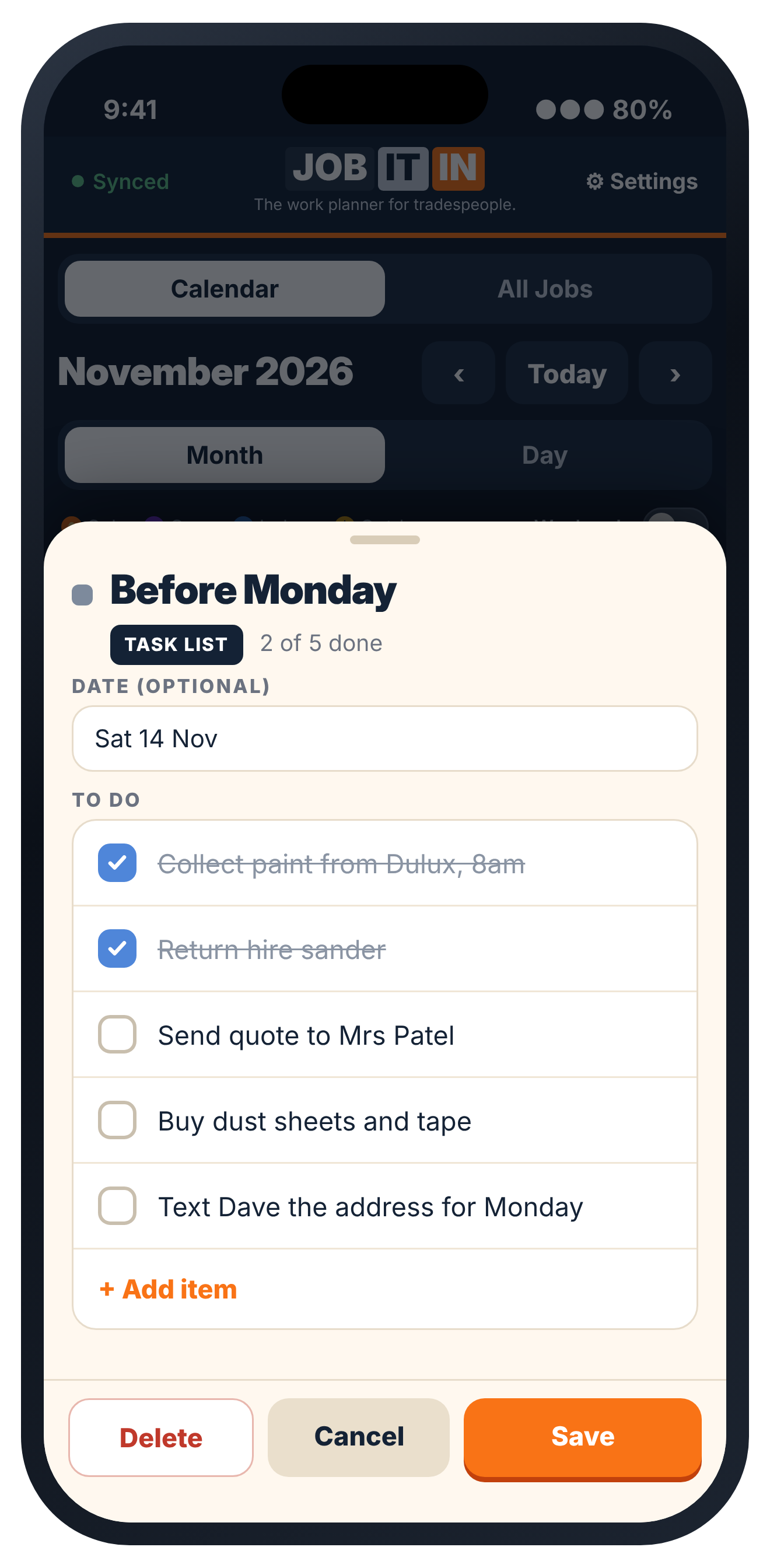
A task list in Job It In
2

Tasks and to-do lists.

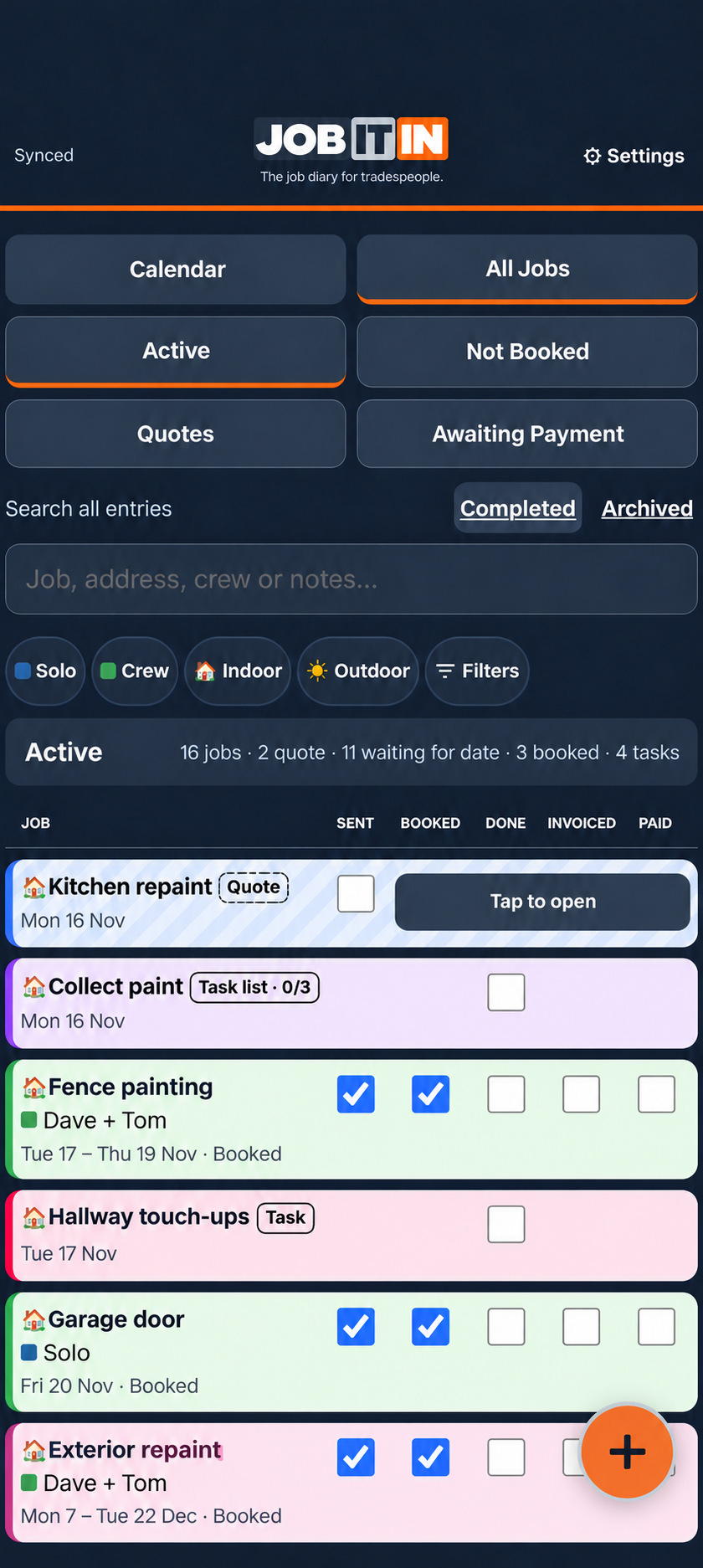
Not everything is a job. The paint collection, the hire sander and the quote you keep meaning to send all go in as tasks, so nothing gets forgotten.

  • Quick reminders. Add a one-off task in seconds, with or without a date.
  • To-do lists. Group the bits for a day or a job into one list and tick them off as you go.
  • Kept apart from your jobs. Tasks show in All Jobs with their progress, like “2 of 5 done”, without cluttering the calendar.
3

Every detail stays with the job.

No more scrolling through texts and your camera roll to find what you agreed. It’s all on the job.

  • Customer and address. Name, number and address in one place.
  • One-tap call, text and directions. Call the customer, send a text or WhatsApp, or open directions straight from the job.
  • Quote details and materials. Measurements, paint colours, materials and anything else you need when you write the quote.
  • Photos. Site photos stay with the job, not lost in your camera roll.
4

See every job in one list.

Booked or not, every job, quote and task lives in All Jobs, so nothing slips through the net.

  • Filters that make sense. Active, Not Booked, Quotes and Awaiting Payment.
  • Track it from quote to paid. Tick off Sent, Booked, Done, Invoiced and Paid as the job moves along.
  • Spot the gaps. Jobs still waiting for a date are tagged, so you can chase them up.
5

Slot it into the calendar.

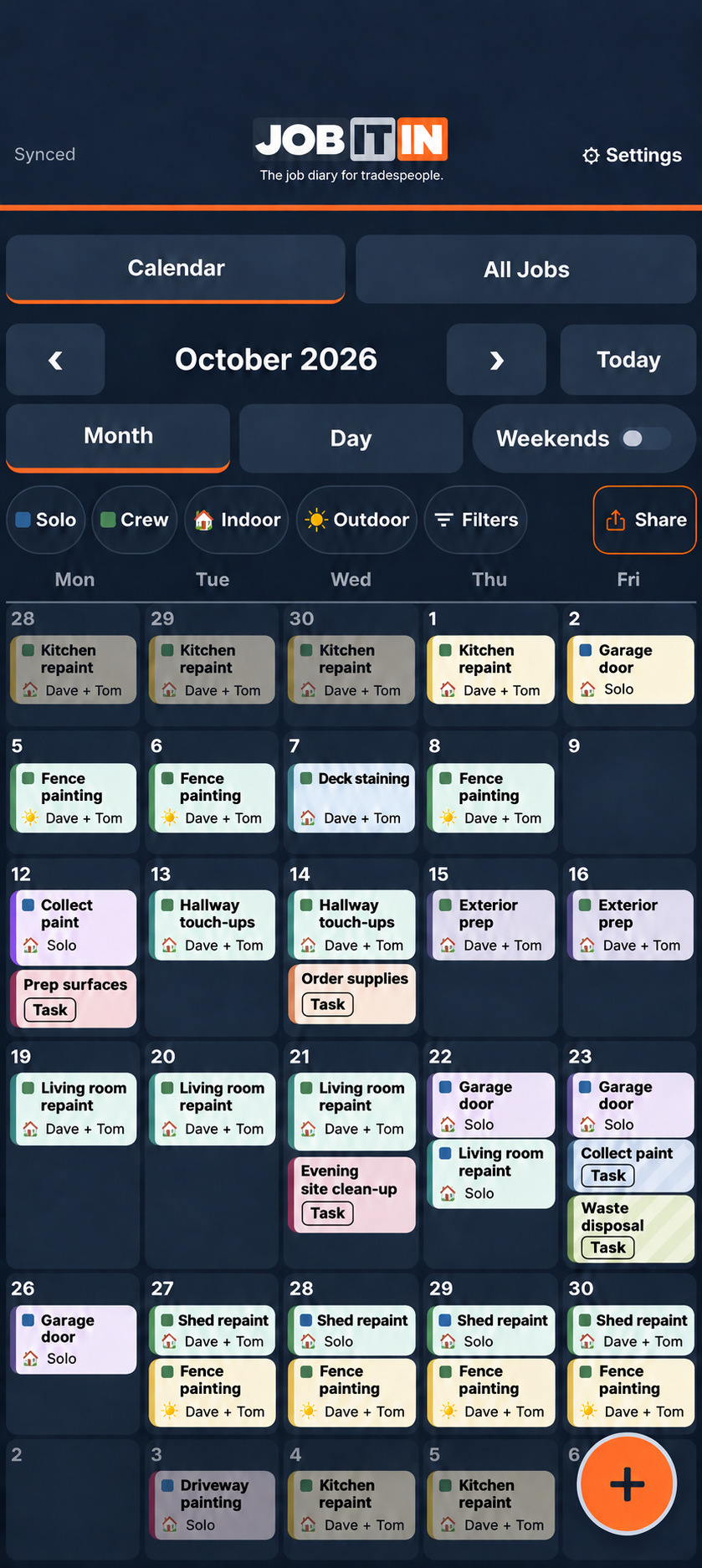
Date agreed? Put it on the calendar and your week is laid out in front of you.

  • Month and day views. See the whole month, or zoom in on one day.
  • Your working week. Monday to Friday by default, with a toggle to show weekends when you need them.
  • Multi-day jobs. A three-day job shows across all three days.
  • See it at a glance. Colours for each job, and markers for solo or crew and indoor or outdoor.
Dragging a calendar job to different dates
6

Plans change? Drag it.

Rained off, running late or the customer’s moved the date. Drag the job to its new days and carry on.

  • Drag and drop dates. Pick the job up and drop it on the new day.
  • Multi-day jobs keep their length. Move a three-day job and it stays three days.
  • Everything moves with it. Notes, photos and crew go with the job.
  • Days off within a job. Called away for a day? Skip it inside the job and pick up where you left off.
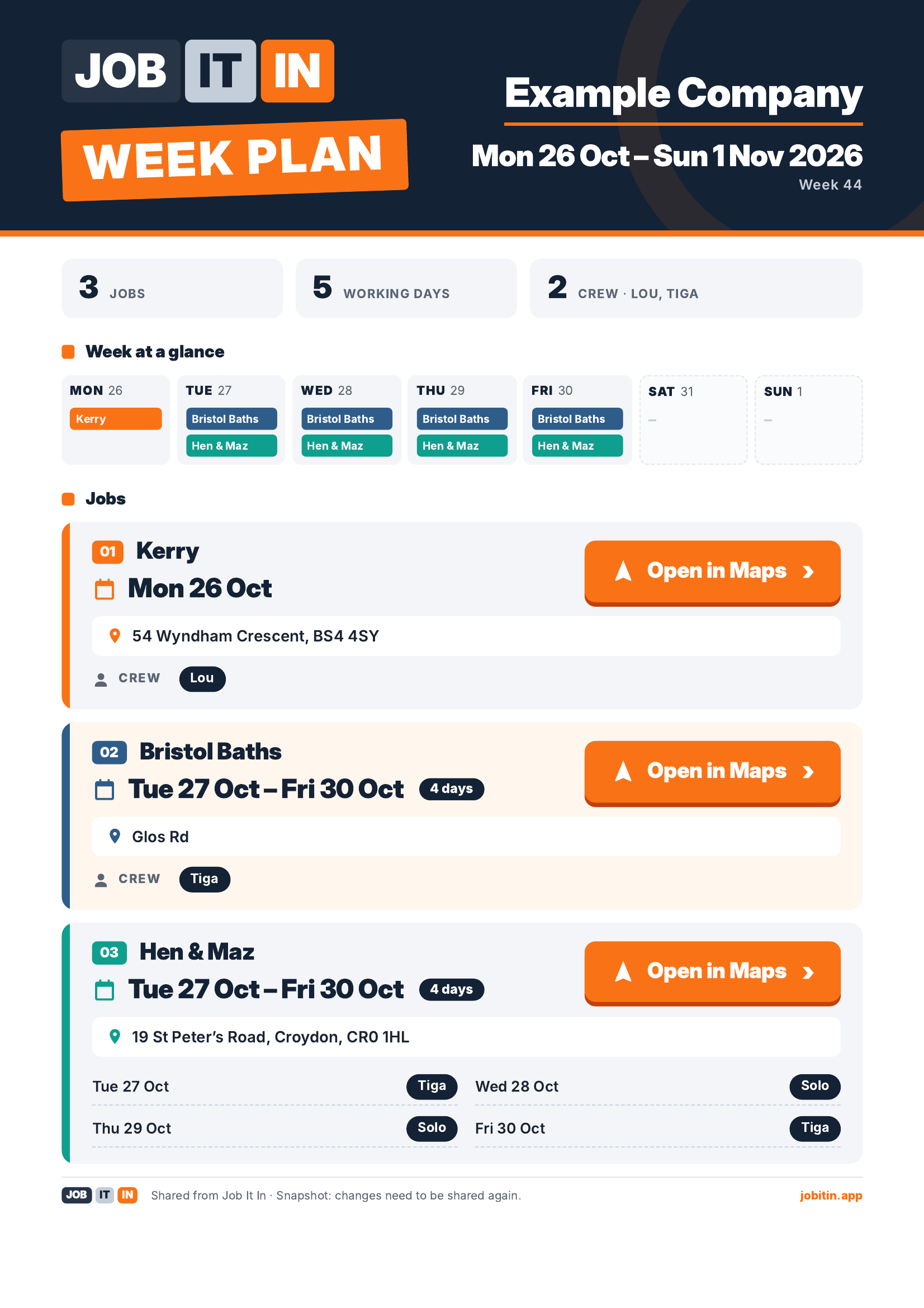
The calendar with the Share button beside FiltersThe Week Plan PDF shared from Job It In
7

Share the week with your crew.

Tap Share week and Job It In makes a clean Week Plan PDF, ready to send to your crew. Everyone knows where they’re working, without a single group-chat essay.

  • A proper Week Plan PDF. Every job, date, address and crew member, with an “Open in Maps” button for each job.
  • Share week or month. Send it in one tap, by WhatsApp, text or email.
  • Send a fresh copy. Plans changed? Share it again and everyone’s up to date.
  • Solo or crew on every job. See who’s on what at a glance.
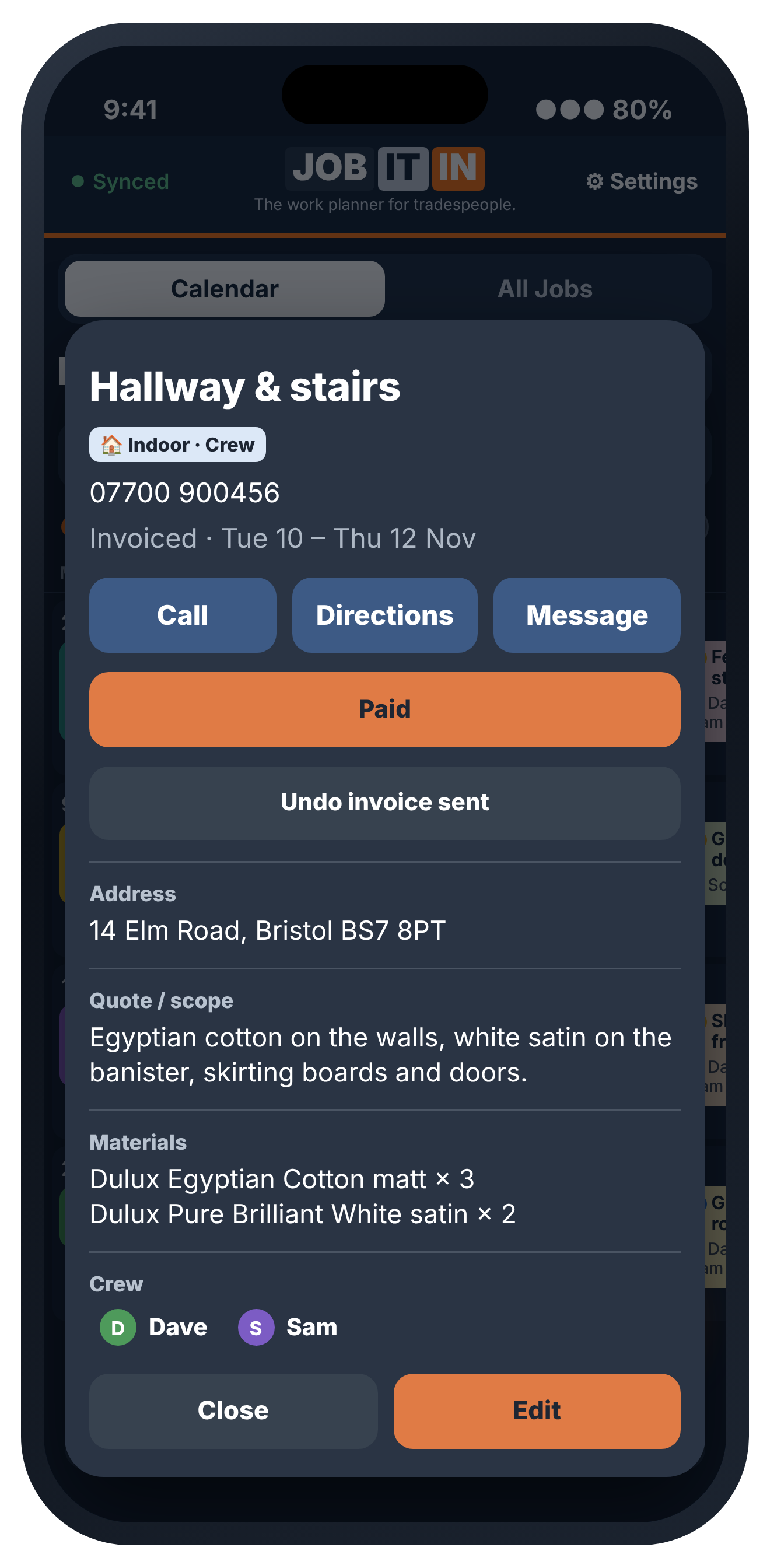
Quick view of a job with Call, Directions and Message buttons, a Paid button, and the address, scope, materials and crew
8

Quick view, one-tap actions.

Tap a job on the calendar and everything you need on the day pops up. No digging, no scrolling.

  • Call, Directions, Message. Ring the customer, open your maps app with the address already in, or send a text, all in one tap.
  • Move it along in a tap. One button for the next step, like Paid, with Undo if you tap it by mistake.
  • The key details at a glance. Address, quote and scope, materials and crew in one card.
  • Edit when you need to change anything.
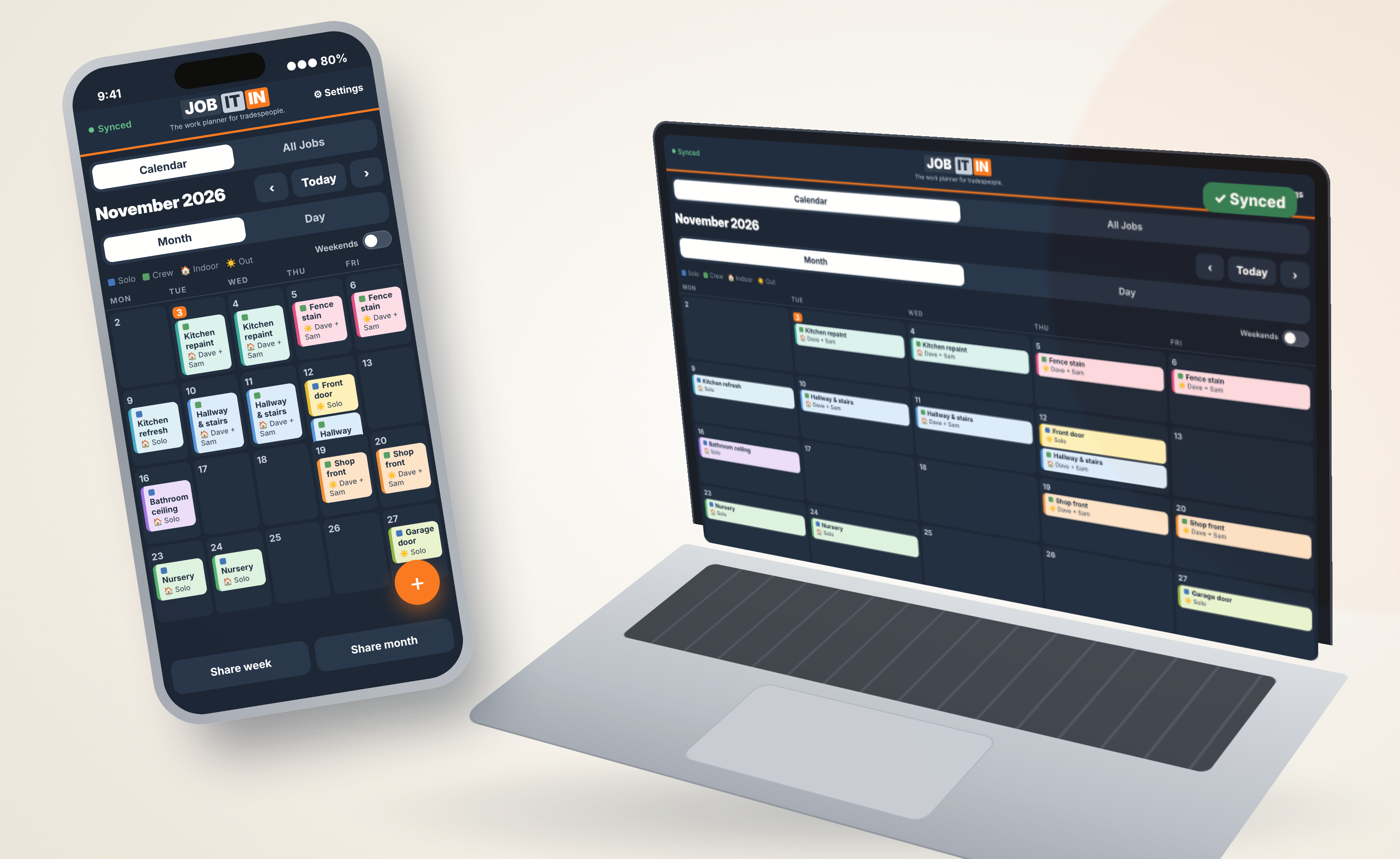
Job It In on a phone and a laptop, synced
9

Phone and laptop, always in sync.

Plan the week at the kitchen table on the laptop, then check it on your phone on site. Same jobs, everywhere.

  • Sign in on both. Use the app on your phone and in the browser on your laptop.
  • Changes sync across. Add or move a job on one and it’s there on the other.
  • Photos stay put. Photos stay on the device you took them on.
  • Bigger screen for planning. See the whole month properly when you’re sorting next week.
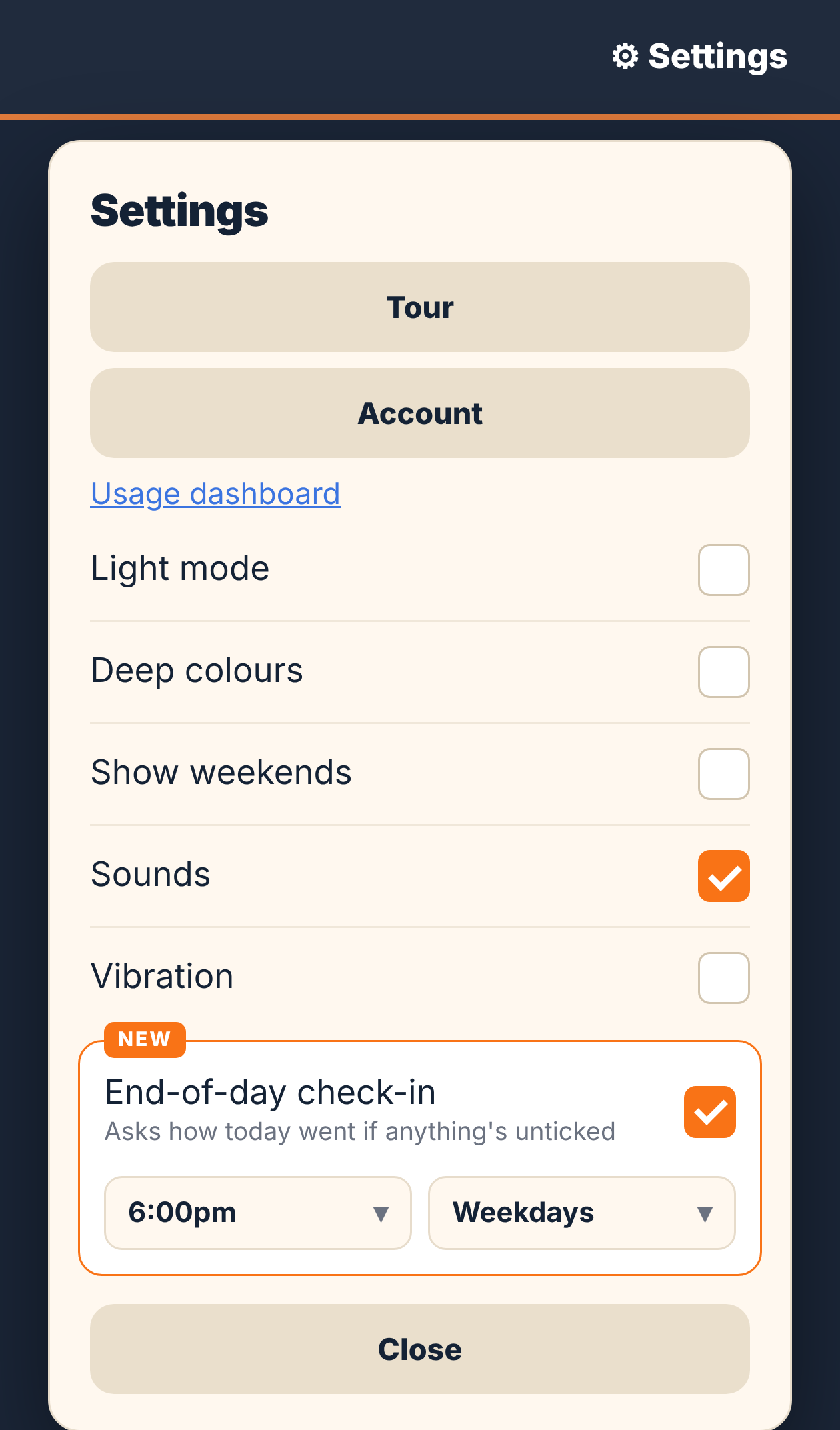
Job It In settings: light mode, deep colours, show weekends, sounds and vibration
10

Make it yours.

Set it up the way you like to work. A few taps in Settings and it looks, sounds and feels right for you.

  • Light or dark mode. Dark for early starts, light for the van in bright sun.
  • Job colours. Every job gets its own colour, and you can switch to deeper colours if you like them bolder.
  • Weekends on or off. Show Saturday and Sunday only when you work them.
  • Sound and vibrate. Turn the sounds and the buzz on or off.
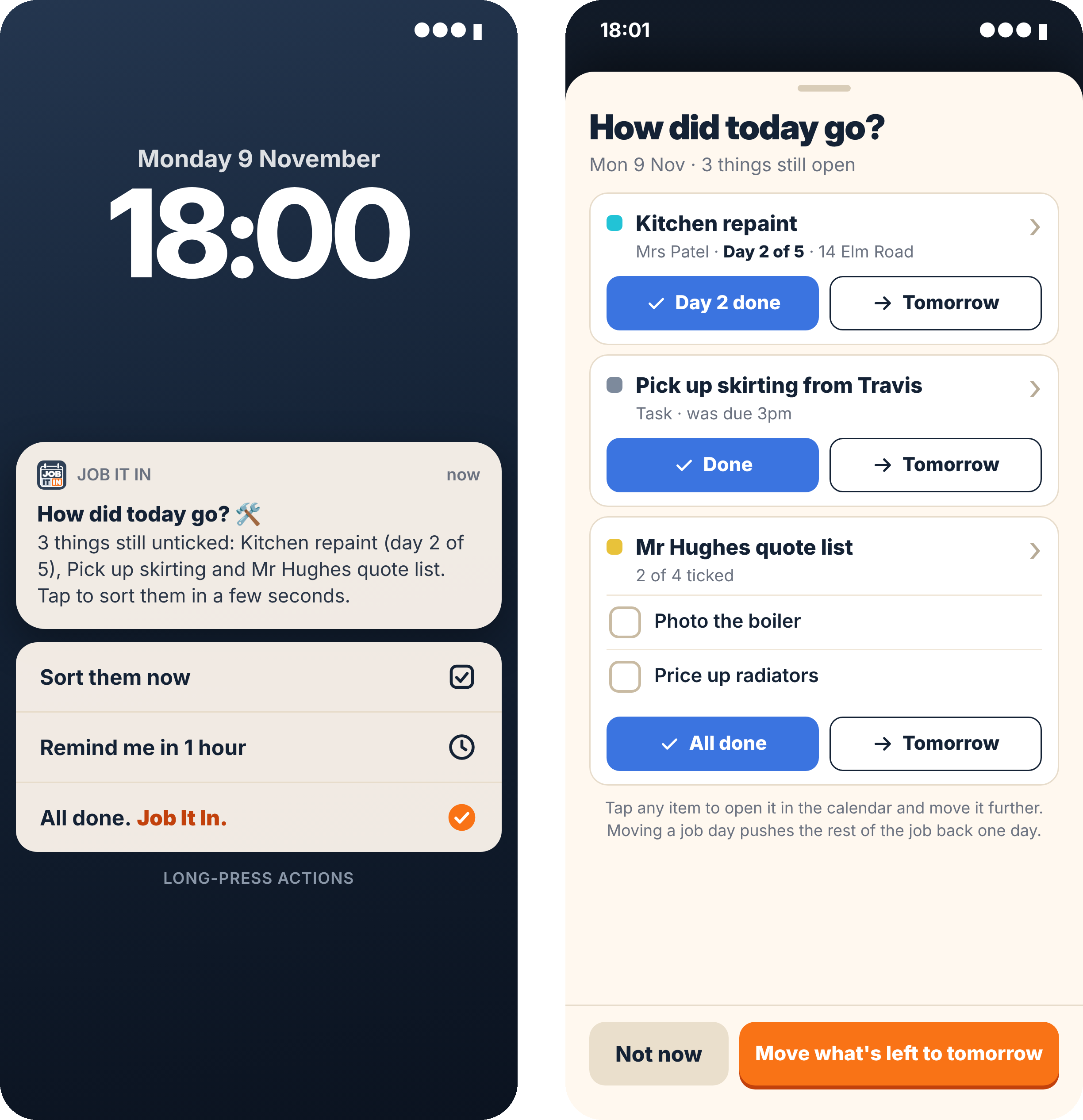
End-of-day check-in: a 6pm notification and the How did today go? sheet
11

End-of-day check-in.

At the end of the day, Job It In asks how it went, but only if something’s still unticked. Sort it in a few seconds and switch off.

  • A nudge at a time you pick. 6pm on weekdays, or whenever suits you.
  • Done or tomorrow. Tick off each job, task and to-do list, or push it to tomorrow in one tap.
  • Move what’s left. One button moves everything unfinished to tomorrow, and a job running over pushes the rest of it back a day.
  • All done. See what you got through, and what’s booked in for tomorrow.
And the everyday stuff

Simple where it should be.

☀️

Weekends on or off

A Monday to Friday week by default, with weekends one tap away.

🔒

Yours, not your customers’

Customers don’t see it or book through it. It’s your own planner.

🧰

Any trade

Decorators, carpenters, plumbers, electricians, builders and more.

⚡

No setup or training

If you can use a phone calendar, you can use this.

🔨

Built by a tradesperson

Made by someone on the tools who uses it every week, not by an office software company.

🍺

Affordable

Cheaper than a pint to get organised. Just £4 a year, with no monthly fee.

Job It In app icon

Out of your head.
Into your pocket.

1st month free, then just £4 a year. Cancel anytime.

Download on theApp StoreComing soonGET IT ONGoogle PlayComing soon